


Kids360: Parental Control App
ANKO Solutions LLC
Keeping track of a child’s day is rarely about watching every minute. More often, it is about knowing whether a child reached school, understanding how much time is being spent on a phone, and having a practical way to check in when plans change. Kids360: Parental Control App is built for that space between reassurance and supervision. I see it as a family coordination tool first, with screen-time controls and location monitoring added to the same experience.
The app comes from ANKO Solutions LLC and is available as a free parenting app for Android and iOS users. Its broad audience is reflected in an Everyone age rating, while its popularity is clear from an average rating of 4.4 based on around 227 thousand ratings and more than 10 million installs. Those figures do not automatically make it right for every household, but they do suggest that the basic idea has connected with a large number of parents.
What the app feels like in everyday family life
My first impression is that Kids360 is most useful when a family agrees on what it is for. If the goal is to create a predictable routine, limit distracting phone use, and make location check-ins easier, the app has a clear purpose. If the goal is to inspect every action a child takes, it is a poor starting point, both practically and emotionally.
The central experience combines parental control, screen-time management, and GPS child tracking. That combination matters because parents usually do not think of these as separate problems. A child who stays up late on a phone may also be difficult to reach in the morning. A parent waiting for a child to arrive may want location context rather than another message asking, “Where are you?” Bringing those concerns together can reduce the number of separate tools a family has to manage.
I would not describe the app as a replacement for conversation. The strongest results come when a child knows what is being monitored and why. Used openly, it can support agreements about bedtime, school hours, travel, and responsible phone use. Used secretly or as a punishment system, it can quickly become another source of arguments.
Latest News

Uber Eats Under Pressure: What Happens When Delivery Goes Wrong

How QR & Barcode Scanner Adapts to Android and iOS Innovations

Why Waze Navigation & Live Traffic Is Your Essential Travel Companion

CapCut Mastery: Unleash Hidden Features for Pro-Level Editing

How OS Updates Enhance Roblox Adventures

Teacher Simulator: Exam Time Turns Quick Classroom Judgments into a Repetitive Loop
When the network becomes part of the experience
Connectivity shapes nearly every meaningful moment in a monitoring app. Location information, screen-time status, and changes to controls need communication between the relevant devices. That means the app feels most dependable when the parent and child are both in places with a usable mobile or Wi-Fi connection.
This is especially important during transitions. Imagine a child leaving school, traveling to sports practice, or walking home with a phone in a backpack. A parent may open the app expecting a current location, but the usefulness of that view depends on the child’s device being able to communicate. A delayed update is not necessarily a fault in the app; it may reflect the realities of reception, device settings, or a phone that is not actively available.
That distinction is easy to miss. I would treat the location view as a helpful source of context, not as a substitute for direct contact or a guarantee of immediate awareness. For important handoffs, I would still agree on a simple message or call. The app can reduce uncertainty, but it should not encourage a parent to assume that a map always represents the present second.
Gallery
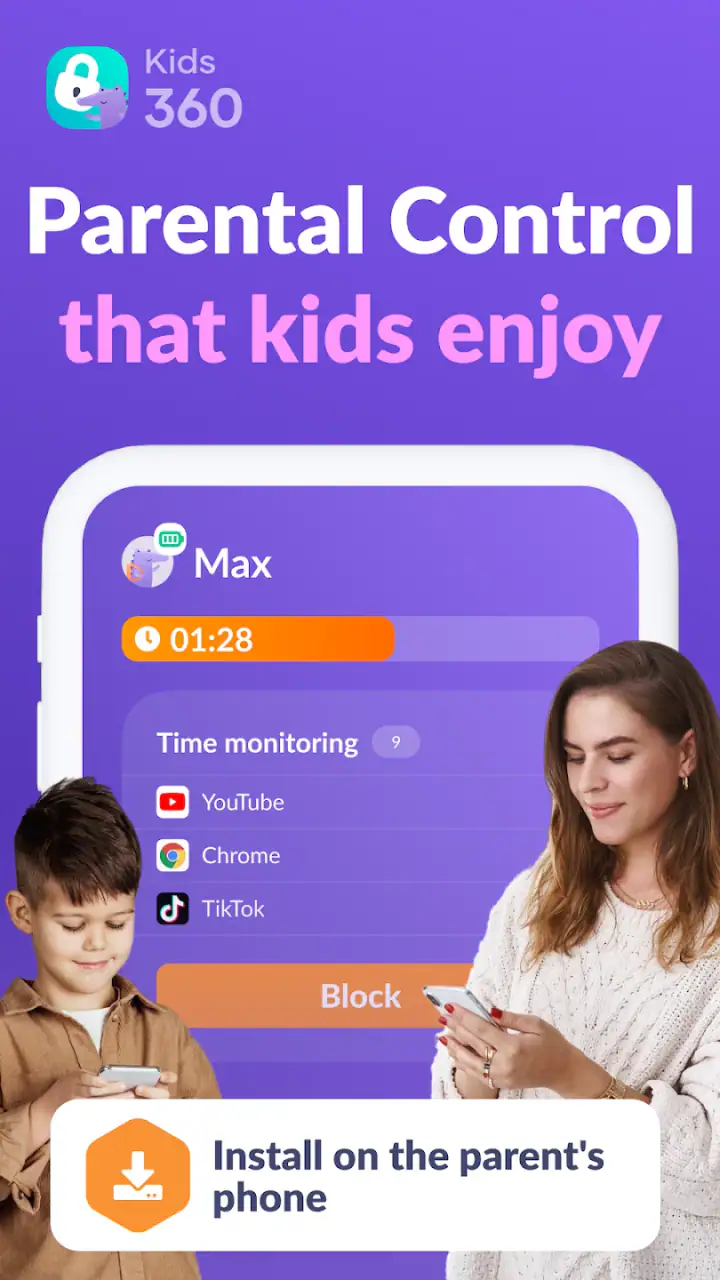
The same principle applies to screen-time controls. A parent may set an expectation before a child starts homework, but the family should understand that digital controls are part of a connected system rather than a physical barrier around the phone. A child who is moving between networks, dealing with a low battery, or using a device that is unavailable can create moments where the parent needs to verify what happened instead of reacting instantly.
Useful mobile situations beyond the home
Kids360 makes the most sense for families whose routines change during the day. Parents with children moving between school, relatives’ homes, clubs, and activities may appreciate having location and phone-use information in one place. It is also relevant for families with younger teenagers who are gaining independence but still need agreed boundaries.
A realistic example would be a weekday afternoon. A child leaves school, heads to a friend’s house, and is expected home later. Rather than sending repeated messages, a parent can use the app for a location check and then focus on the agreed return time. If the child is spending too long on entertainment before homework, screen-time controls can become part of the conversation. This is not dramatic surveillance; it is a way of making a loose routine more visible.
For travel, the value is less about staring at the screen and more about reducing unnecessary calls. A parent may check whether a child appears to have reached the expected area, then contact them only if something looks inconsistent with the plan. That can be less disruptive than asking for constant updates, although it still depends on the phone being connected and carried by the child.
The app is also more practical when parents establish a small number of clear rules. I would begin with one or two situations that cause real friction, such as late-night use or phone distraction during study time. Adding every possible restriction at once can make the system difficult to understand and may encourage children to see it as total control rather than a family agreement.
Where mobile monitoring can create friction
Location tools can be reassuring, but they can also invite overchecking. A parent who refreshes the map repeatedly may feel informed while becoming more anxious. In my view, the healthier workflow is to define when a location check is useful: during a journey, around a planned arrival, or when a child misses an agreed check-in.
There is also a practical question about whose device is being monitored. A child may leave the phone at home, lend it to someone, turn it off, or carry a second device. In those cases, the app’s view may describe the phone rather than the child. That is not a flaw unique to Kids360, but it is an important limitation that parents should explain before relying on the feature.
Screen-time controls can produce a different kind of tension. A limit may be reasonable from a parent’s perspective but feel arbitrary to a child if it interrupts homework, travel, or an activity that the family considers acceptable. I recommend discussing exceptions before they happen. A rule that can be adjusted calmly is often more useful than a rigid setting that leads to emergency negotiations every evening.
What to do when updates or controls do not behave as expected
The most useful habit with a connected parenting app is to create a recovery plan before a problem occurs. If a location appears old, first check whether the child can be reached directly and whether the phone is with them. If a screen-time rule seems not to have taken effect, avoid assuming that the child deliberately bypassed it. Confirm the device status and the family’s agreed settings before escalating the situation.
I would also keep a simple backup routine for important journeys. A child should know whom to contact, and a parent should know the expected route or arrival window. Kids360 can add information to that plan, but it should not be the only part of it. This matters particularly for younger children, who may not understand why a location view can become stale or why a control may need attention after a device change.
Recovery is also about reducing false alarms. If the app shows something unexpected, compare it with the child’s schedule and recent communication. A location that seems unusual may be explained by a stop at a shop, a change in transport, or a phone left in a bag. The app is most helpful when it prompts a sensible question rather than an immediate accusation.
Parents should expect a small learning period. The current version is 2.71.1, and the app requires Android 7.0 or later on Android devices. Those details make it accessible to many users, but families still need to check that the phones they actually use meet the requirement and can participate reliably in the connected setup. This is one reason I would test the routine at home before depending on it during a busy day.
Using the app without wasting attention or data
Because monitoring encourages frequent checking, it is worth being deliberate about how the app fits into a parent’s day. Constantly opening a location screen is unlikely to improve safety and may consume attention that would be better spent on direct communication. I prefer scheduled check-ins and clear situations where the app has a job to do.
Families should also think about the child’s phone habits. If the device is already heavily used, adding monitoring may increase battery demands or make the child more reluctant to carry it. I would make sure the child understands that keeping the phone available is part of the agreed safety routine, not merely a way for a parent to inspect them.
Privacy deserves equal attention. A child’s location is sensitive, even inside a family. The app should be introduced with an explanation of who is checking information, when checks are appropriate, and how the arrangement may change as the child becomes more independent. That conversation is not an optional extra; it determines whether the technology supports trust or weakens it.
The free entry point makes it easy to try the basic experience, but in-app purchases range from under a dollar to almost one hundred dollars per item. I would review the purchase screen carefully before committing to anything and decide which functions genuinely solve a family problem. A paid option is worthwhile only if it improves a routine you will actually use, not simply because more controls sound reassuring.
How it compares with ordinary alternatives
The usual alternative is a mixture of built-in phone settings, occasional calls, and family rules. That approach can be enough for older teenagers who manage their own schedules and respond reliably. It also avoids introducing another monitoring relationship into the household. For a family that mainly wants a bedtime reminder, the phone’s existing tools may be simpler.
Kids360 becomes more attractive when parents want location context and screen-time management together. Separate tools can create scattered settings, different interfaces, and more opportunities to forget where a rule was configured. Having these needs associated with one parenting app is convenient, especially for parents who are already coordinating several children or changing routines.
However, convenience does not make it universally better. A family that needs highly specialized device administration, detailed technical reporting, or a system designed for a school or organization may prefer a different category of product. Kids360 is aimed at everyday family supervision, not at replacing every possible digital safety or device-management solution.
There is also a difference between control and coaching. Built-in screen limits paired with a family discussion may be better for a teenager who is ready to manage their own habits. Kids360 is more suitable when a parent still needs a visible structure around phone use and wants location awareness as part of that structure.
Who will get the most from Kids360
I think the app is a strong candidate for parents of children who carry a phone but still need help with routines. It can be especially useful when the family has recurring travel between activities, concerns about late-night use, or difficulty agreeing on when a child should be reachable.
It is also a reasonable choice for parents who want one place to begin rather than assembling separate tools. The free price makes experimentation less intimidating, while the Everyone rating reflects its broad family positioning. Still, I would judge it by whether it improves a specific daily problem within the first week, not by how many features appear available.
I would be cautious if the child does not reliably carry the monitored phone, if the family has poor connectivity during the periods that matter most, or if the parent expects a map to provide constant certainty. I would also skip it when the main issue is trust rather than logistics. No tracking tool can repair a relationship that needs a conversation.
My connectivity verdict
After looking at the app through the realities of mobile use, I see Kids360 as a practical connected parenting aid rather than an all-seeing safety system. Its best moments happen when a family has a clear plan: the child carries the phone, parents know when location information is useful, and screen-time rules are discussed before they are enforced.
The main trade-off is straightforward. You gain a combined view of location and phone-use boundaries, but you also need to accept the uncertainty that comes with connected devices. Updates can depend on circumstances outside the parent’s control, and constant checking can create more stress than reassurance.
My recommendation is to try Kids360 for a defined family problem, not as a blanket replacement for trust. Set a modest routine, explain the boundaries to the child, keep a direct-contact backup, and review whether the app actually reduces friction. For families that need coordinated supervision across a busy mobile day, it can be genuinely useful. For families seeking complete certainty or intensive technical control, a simpler phone setting or a more specialized alternative may be the better fit.
As a free parenting app developed by ANKO Solutions LLC, Kids360 offers an approachable way to combine everyday supervision with location awareness. Its large user base and 4.4 average suggest broad appeal, but the final decision should come from your household’s routine, connectivity, and comfort with monitoring. Used thoughtfully, it can help parents stay informed without turning every moment into an inspection.
FAQs for Kids360: Parental Control App
What features does Kids360 offer to help parents monitor their children’s device usage?
Kids360 provides a comprehensive suite of features to help parents manage their children's device usage. It includes screen time controls, app blocking, and location tracking. Parents can set daily limits, monitor app usage, and ensure their child's safety by knowing their whereabouts at all times. The app also provides detailed reports on device activity.
Is Kids360 easy to install and set up on my child’s device?
Yes, Kids360 is designed to be user-friendly and straightforward to install. After downloading the app on both the parent’s and child’s devices, the setup involves a series of guided steps to link the devices. The interface is intuitive, making it easy to configure settings and preferences according to your family’s needs.
Are there any privacy concerns with using Kids360?
Kids360 takes privacy seriously and ensures all data is encrypted and secure. The app requires certain permissions to function effectively, such as location tracking and usage monitoring, but it does not share your data with third parties. Parents can have peace of mind knowing that their family’s information is protected.
Can I customize the restrictions and controls for each child individually?
Yes, Kids360 allows for personalized settings for each child. Parents can customize screen time limits, app restrictions, and other controls based on each child’s age and needs. This flexibility ensures that the app can adapt to different parenting styles and requirements, providing a tailored experience for each family member.
What happens if my child tries to bypass the app’s restrictions?
Kids360 is designed with security in mind to prevent tampering. If your child attempts to bypass restrictions, the app will notify you immediately. Additionally, the app’s robust security features make it difficult for children to uninstall or disable without parental consent, ensuring that controls remain in place.
Pros
- Intuitive interface for easy navigation.
- Customizable alerts for specific activities.
- Location tracking with real-time updates.
- Screen time limits to manage device use.
- Compatible with both Android and iOS.
Cons
- Limited features in free version.
- Requires internet for real-time updates.
- May drain battery quickly on older devices.
- Not all apps can be blocked remotely.
- Some location inaccuracies reported.


